
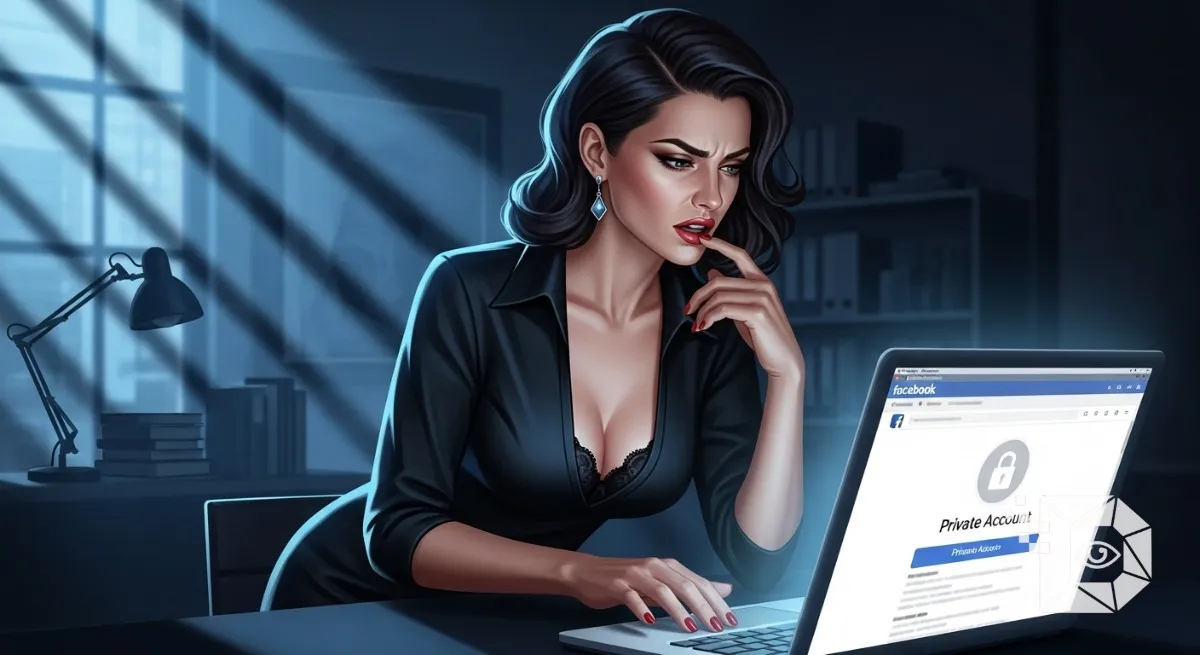
We have all been there. You met someone at a party. Or you are applying for a job and want to check out the hiring manager. Or, let’s be honest, you are checking up on an ex-partner from five years ago. You type their name into Facebook. You find them. And then you hit the wall. The Grey Lock Icon. “This profile is locked.” No photos. No timeline. Just a profile picture the size of a postage stamp and a “Add Friend” button that feels incredibly intimidating to press.
The urge to bypass this is human nature. You want to see the information without alerting them. You want to “ghost” look. So, you go to Google and search: “How to view private Facebook profile tool.” Stop. Before you click that first link promising a “Magic Unlocker,” you need to understand how the internet in 2026 actually works. Facebook isn’t the leaky sieve it was in 2010. After the Cambridge Analytica scandal and the rise of GDPR in Europe, Mark Zuckerberg locked the doors.
If you are in North America, Europe, or Australia, privacy laws are strict. There is no “Magic Button.” But there are ways to find information using legitimate detective work (OSINT). Here is the guide to what works, what doesn’t, and what will get your account hacked.
1. The “Profile Viewer” Scam (The Trap)
I need to start with a warning because I see people in the US and UK fall for this every day. If you see a website, app, or Chrome Extension that claims: “Enter URL to View Private Photos!” It is a scam. 100% of the time. No exceptions.
These sites are not hacking Facebook. They are hacking you.
-
The Survey Trap: They ask you to fill out a survey to “unlock” the profile. They sell your data. You get nothing.
-
The Malware Trap: They ask you to download an
.exefile. It installs ransomware on your PC. -
The Phishing Trap: They ask you to “Login with Facebook” to verify your identity. You just handed them your password. Facebook’s security team consists of thousands of world-class engineers. A random website called
UnlockFace24.nethas not outsmarted them. Stay away.
2. The “Google Image” Loophole (The Ghost of the Past)
While Facebook is locked down, the internet never forgets. Even if a user sets their profile to “Private” today, they might have had it “Public” two years ago. Google indexes everything.
The Method:
-
Copy their name exactly as it appears on Facebook (e.g., “John Smith NYC”).
-
Go to Google Images.
-
Search
"John Smith NYC" site:facebook.com. -
Or just search their username if they have a unique URL (e.g.,
facebook.com/johnsmith99).
Often, Google has cached versions of their profile photos, cover photos, or albums from before they went private. You won’t see their status update from yesterday, but you might find the photos you were looking for. This is completely legal; you are just viewing public search records.
3. The “Mutual Friend” Window
This is how Facebook privacy actually works. It is based on Degrees of Connection. Most people do not set their privacy to “Only Me.” They set it to “Friends of Friends.”
This is your vulnerability. If you can’t see their profile, check the “Mutual Friends” list (if visible) or look at the comments on their Profile Picture (which is always public).
-
The Strategy: Do you know any of the people commenting? If you add one of their friends (and they accept), you effectively upgrade your status from “Stranger” to “Friend of a Friend.” Suddenly, that locked profile might open up. You might see their tagged photos or their timeline posts. You haven’t hacked anything; you just walked through the side door they left open.
4. The “Cross-Platform” Check (Instagram & LinkedIn)
People are inconsistent. Someone might be a fortress on Facebook because they use it for family, but they are completely wide open on Instagram or LinkedIn. In North America and Europe, LinkedIn is often the biggest leak. People put their full education, location, and photo on LinkedIn for career reasons.
The Method: Take their Facebook username (the part after the / in the URL). Search that exact username on Instagram, TikTok, and Twitter. Humans are creatures of habit. If my handle is AkshayTech24 on Facebook, it is probably AkshayTech24 on Instagram. Often, the Instagram profile is public even if the Facebook one is private. It’s the same person, just a different window into their life.
5. The “Tagged Photos” Backdoor
Even if a user locks their Timeline, they cannot control what other people post. If “John” is private, but his best friend “Mike” is public, and Mike tags John in a photo… that photo is visible.
The Method:
-
Go to the Facebook Search bar.
-
Type:
Photos of [Name]. Facebook’s Graph Search isn’t as powerful as it used to be, but it still works for this. It will show you photos where that person is tagged, provided the uploader’s privacy settings are public. You are bypassing the target’s privacy settings by looking at their friends’ privacy settings.
6. The Only 100% Method: The Friend Request
I know, this is the advice you didn’t want to hear. But in 2026, the only way to see a fully private profile is to ask. Sending a Friend Request is not illegal. It’s not “stalking” (unless you do it repeatedly after rejection).
If you are trying to vet someone for safety (like a date) or a job, and their profile is locked, that is a signal in itself. It means they value privacy.
-
For Dating: “Hey, I saw your profile was locked (smart move), but I’d love to connect here before we meet up.”
-
For Networking: Send a message explaining the connection. Most people will accept a request if there is a polite message attached.
7. Why This Matters (The “Stalker” Check)
Finally, flip the script. If you are reading this because you are worried about your profile being seen, take this as a lesson. Go check your “Friends of Friends” settings. Go check your tagged photos. The methods I described above are exactly what people are using on you. In the digital age, true privacy doesn’t exist. There is only “Harder to Find.”
There is no magic software. There is no “God Mode” for Facebook. There is only Google, common friends, and other apps. Use your detective skills, but don’t download the malware. If you really need to see what they had for lunch, just follow them on Instagram like a normal person.







